





Tenant Panel
Digital services are an integral part of life today, and the main value in real estate management is simplicity, transparency, and constant control. In response to this need, we created the Tenant Panel - a modern online platform that makes the financial management of your apartment even more comfortable and organized.
What is a tenant panel?
This is an online system that brings together all the financial and administrative information related to your apartment in one place. The panel allows you to quickly and securely access the necessary data and manage the process independently. In the panel, you can:
- View detailed data about your apartment;
- Control the payment schedule and the remaining amount;
- View invoices and important documents;
- Contact your personal manager/tenant relations manager.
Where should I see the panel?
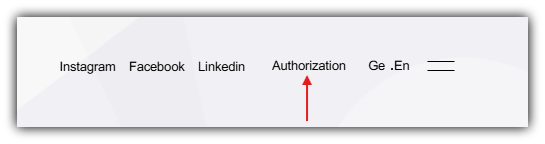
There is an "Authorize" button in the upper right corner of the "Alpha House" website. Click the button to go to a new page and complete the authorization process.
How do I log in to the panel?
After clicking the authorization button, you will be taken to a new page where you must fill in your data.
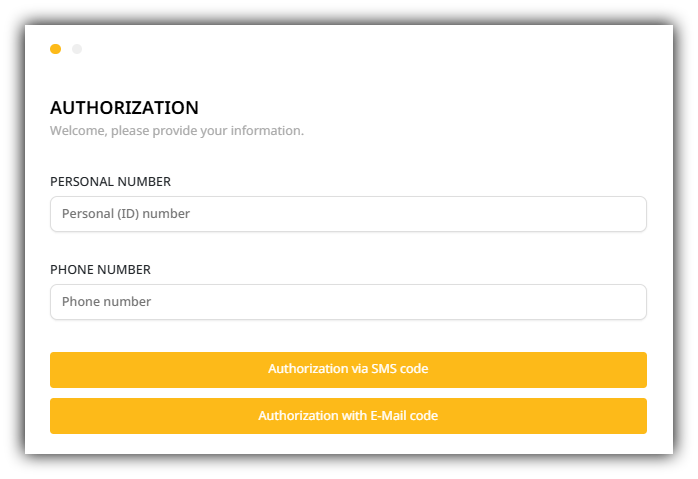
- Enter your personal number;
- Enter the phone number (which is indicated in the contract);
- You will receive a one-time authorization code via SMS or email. (If you are outside Georgia and do not have a Georgian number, you can easily receive the code via email);
- After entering the code, click Authorize and you will be able to log in to your personal page. -
What will you see in the tenant panel?
When you log in to your personal panel, you will find the following information:
1. Purchased real estate
In the panel, you will find the name of the relevant project (current and completed) of the real estate purchased at "Alpha House" with its data (apartment, block, floor).
2. Data and update

Update Dates - The panel provides two important dates:
- Last Accounting Update Date - indicates the time of the last entry, when the system reflected the amounts transferred and payments. (Please note that the data is updated in the system every two weeks. Accordingly, if the update was made, for example, on the 15th and the amount was transferred on the 16th, the change will not be reflected immediately.)
- Last Transfer Date - the date of the last transfer of the amount by the tenant.
Earned amount - the panel has an integrated referral system that allows you to receive additional benefits. If your friend, relative or close friend is interested in purchasing an apartment and indicates your individual referral code during the purchase process, after a successful sale you will receive 300 GEL. When you click on the "Earned amount" button, a window opens where you can see your personal referral code. You must give this code to the interested person to specify when buying an apartment;
Balance - the amount earned as a result of using the referral code (300 GEL) will be reflected in your balance and can only be used to transfer it to the building maintenance account.
Tenant data and payable amount - when you click on the appropriate button, the tenant's basic information will appear: name and surname, mobile number and e-mail. The remaining payable amount from the total cost of the apartment is indicated in the same section.
3. Invoice
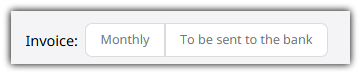
Monthly invoice - an invoice for the monthly payment schedule specified in the purchase agreement, indicating the amount to be paid and the company's details;
Invoice to be sent to the bank - when the tenant wants to transfer to a bank and completes an interest-free internal installment plan with the company, he requests an invoice indicating the full value of the real estate, the amount paid, and the amount to be paid.
4. Real Estate Data
Your panel displays real estate data:
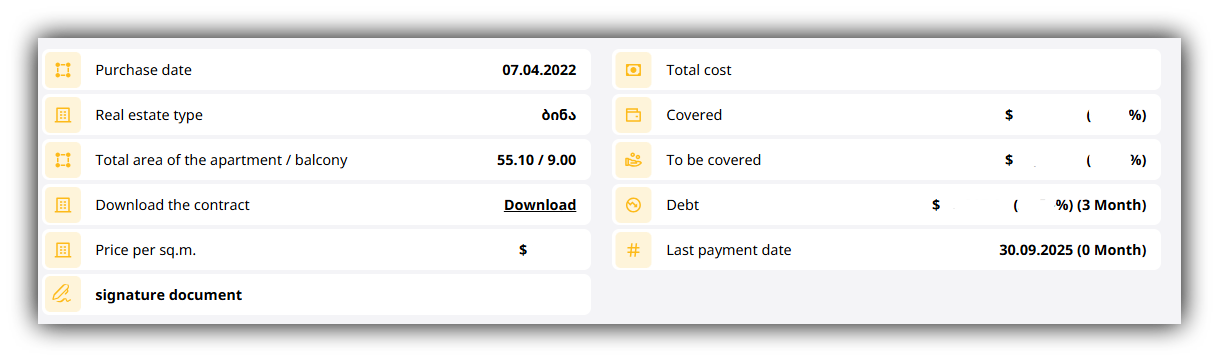
- Date of purchase of the apartment or conclusion of the contract;
- Type of real estate - apartment/flat/duplex/garage;
- Total area of the apartment and balcony area;
- PDF file of the real estate purchase contract;
- Square meter value of the real estate;
- Additional documentation that you are required to review and sign, this may a drawing of your apartment or passport;
- Total value of the real estate;
- Amount and percentage of the amount paid for the real estate;
- Amount and percentage of the amount to be paid for the real estate;
- Debt, if the tenant violates the schedule provided for in the contract and exceeds the number of payments, the amount of the debt and months are automatically displayed in the panel;
- Date of the final payment according to the payment schedule provided for in the contract.
5. Payment Schedule
At the bottom of the panel, you will see a schedule sorted by month, showing which months have already been paid and which are yet to be paid.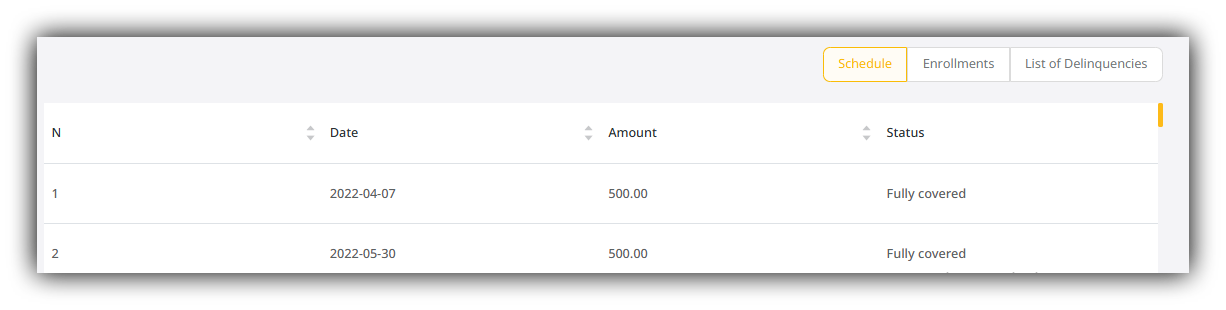
Schedule - The payment schedule established in accordance with the purchase agreement;
Deposits - The date of the monthly payment made by the tenant;
Overdue list - The date and amount of the monthly payment made by the tenant.
6. Always by your side
There is a button "Always by your side" in the panel, clicking on which a pop-up window appears and you can see the contact information (name/surname and phone number) of your personal manager (from whom you purchased the apartment) and the tenant relations manager.
Why is the Tenant Panel important?
The Tenant Panel is designed to make managing your apartment as simple, transparent, and convenient as possible. It gives you full control over your financial situation - you can see payments, remaining balance, invoices, and important documents at any time, without any unnecessary communication.
A single digital space ensures accuracy, time saving, and security. You no longer need to search or make additional calls to get the necessary information - everything related to your apartment is collected in one system and is constantly available.
The Tenant Panel creates a transparent relationship, reducing the distance between the company and the tenant. This is trust, simplicit,y and full control in one space.